To complete the copy follow the procedure as indicated
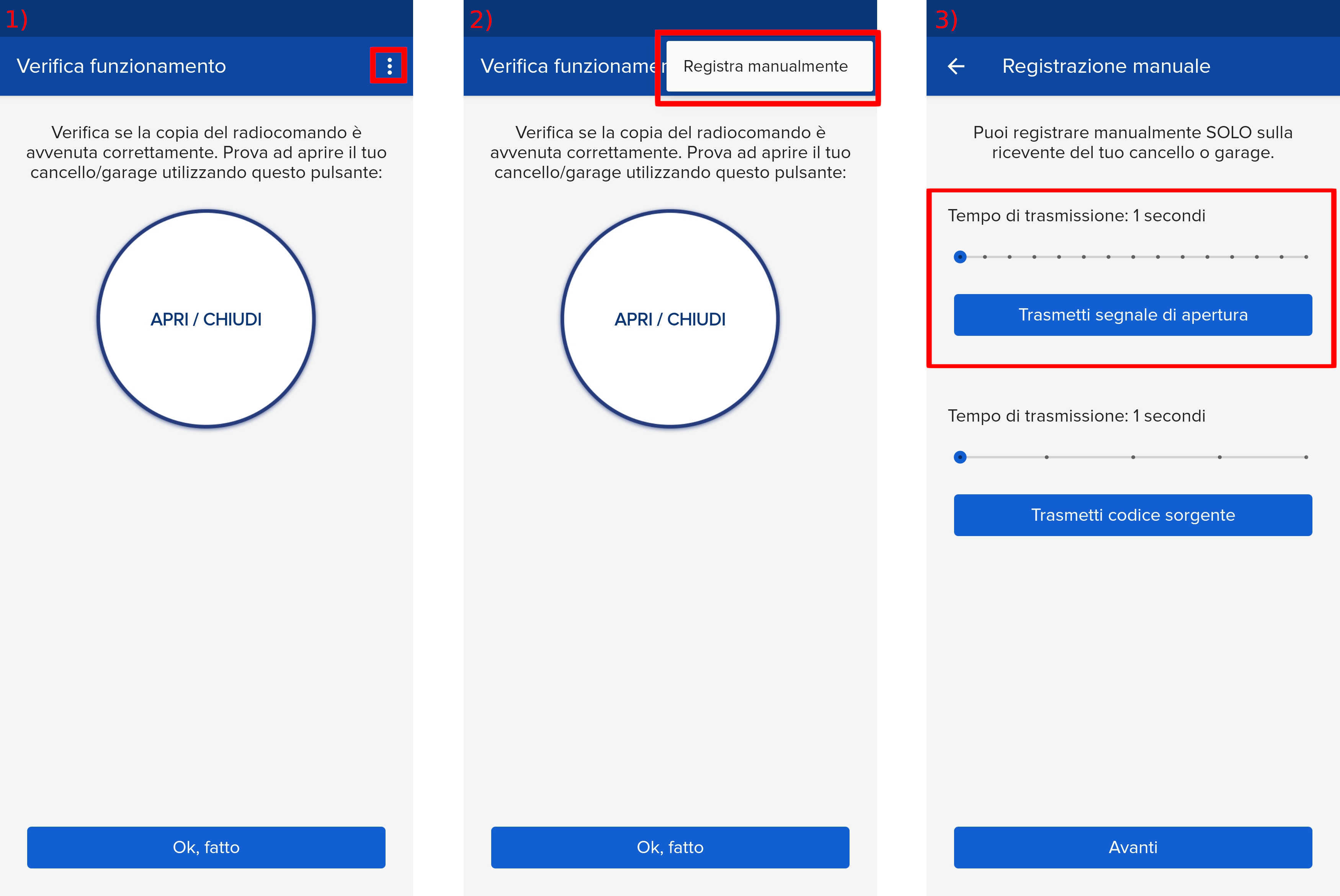
- Start copying until you get to the "Verify Operation" screen
- Press the menu button on the top right to enter manual recording as in the image below
- Move the slider above 4 seconds
- On the control unit, locate the " + " , " OK " and " - " buttons.
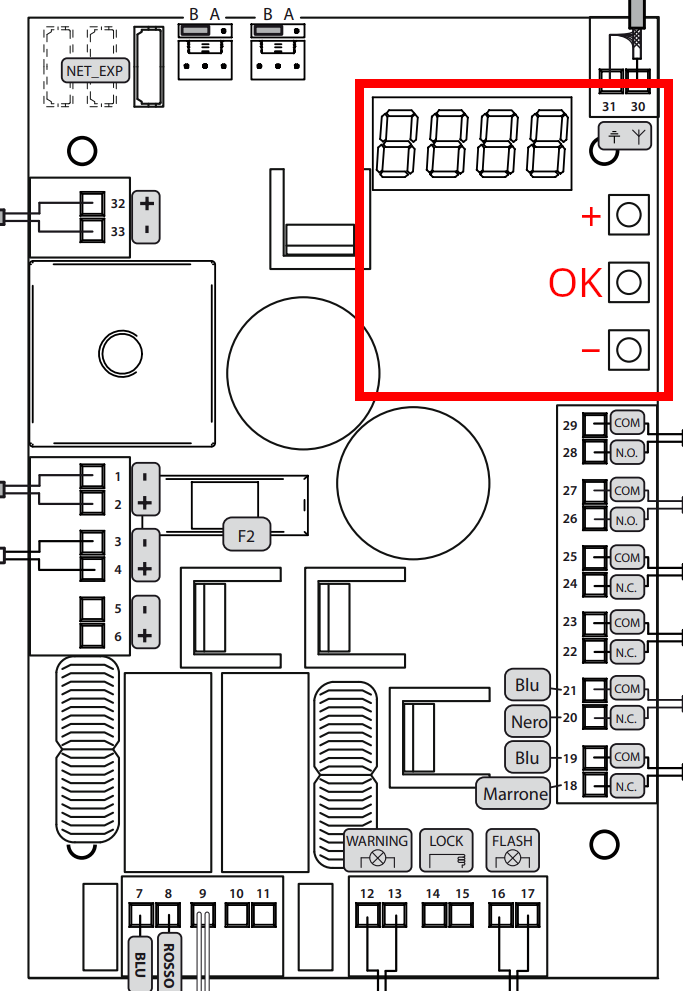
- Using the " + " and " -" buttons, scroll through the menu on the control unit display until you reach the " P005 " item.
- Press the " OK " button on the control unit
- When the display shows the word " Lear " then on the app press " Transmit opening signal "
- Wait about 15 seconds for the control unit to exit the mode
- Press "Next" at the bottom of the page
- Using the "Open/Close" button perform an opening test
- If the gate does not open, try again by increasing the waiting time in step 3