To complete the copy follow the procedure as indicated
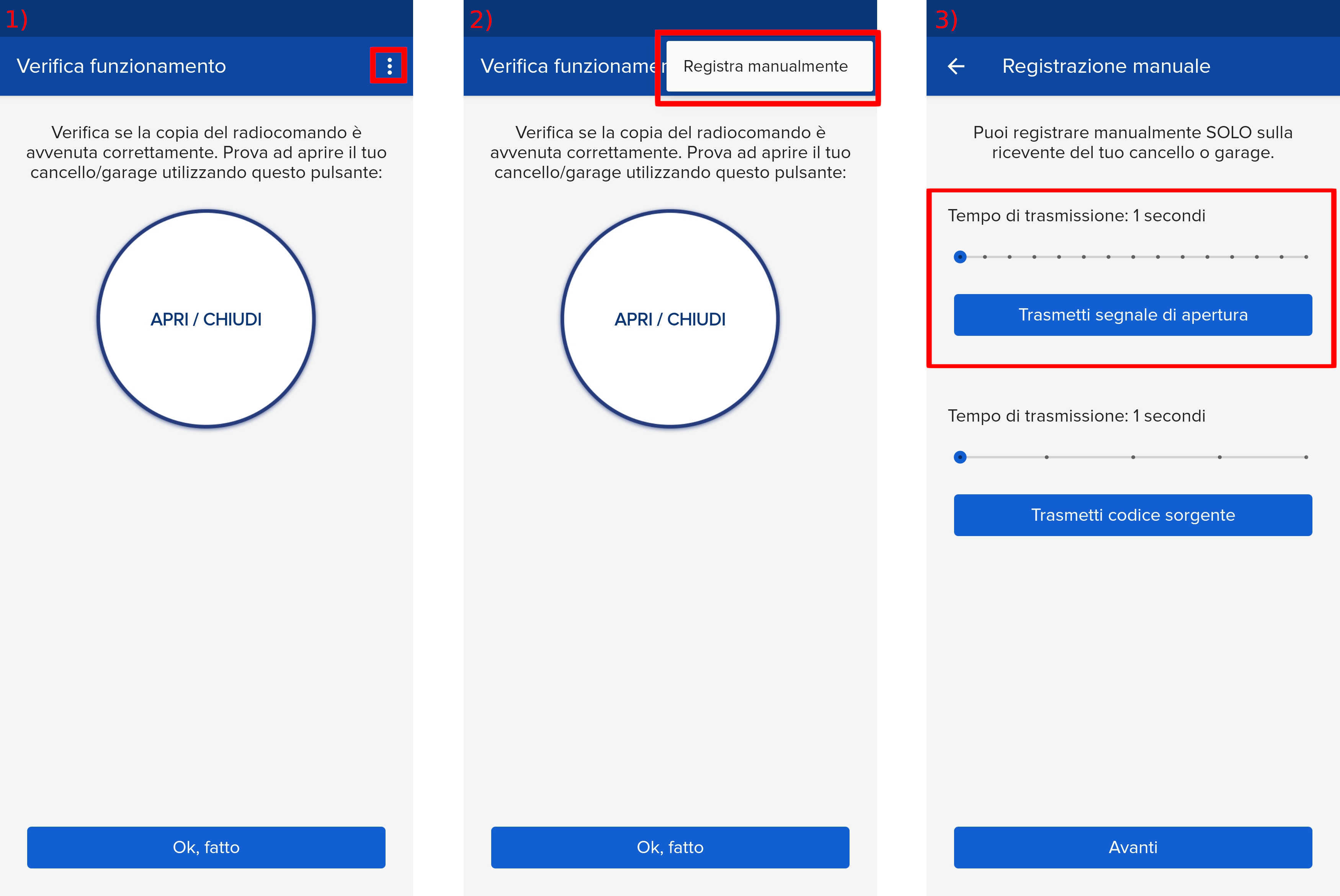
- Start copying until you reach the "Check Operation" screen.
- Press the menu button at the top right to enter manual recording as shown in the image below
- Move the upper slider to 4 seconds and bring the SOLO within 5/10cm of the receiver.
Press the DOWN (RADIO) button for more than 2 seconds until the display shows “rad” (radio), then release the button.
- Press the DOWN (RADIO) button again
- The KEY LED flashes once
- Press the "Transmit opening signal" button within 7 seconds
- If the memorization was successful, the KEY LED will emit a long flash
Otherwise repeat the operation by extending the transmission time of the first slider.