To complete the copy follow the procedure as indicated
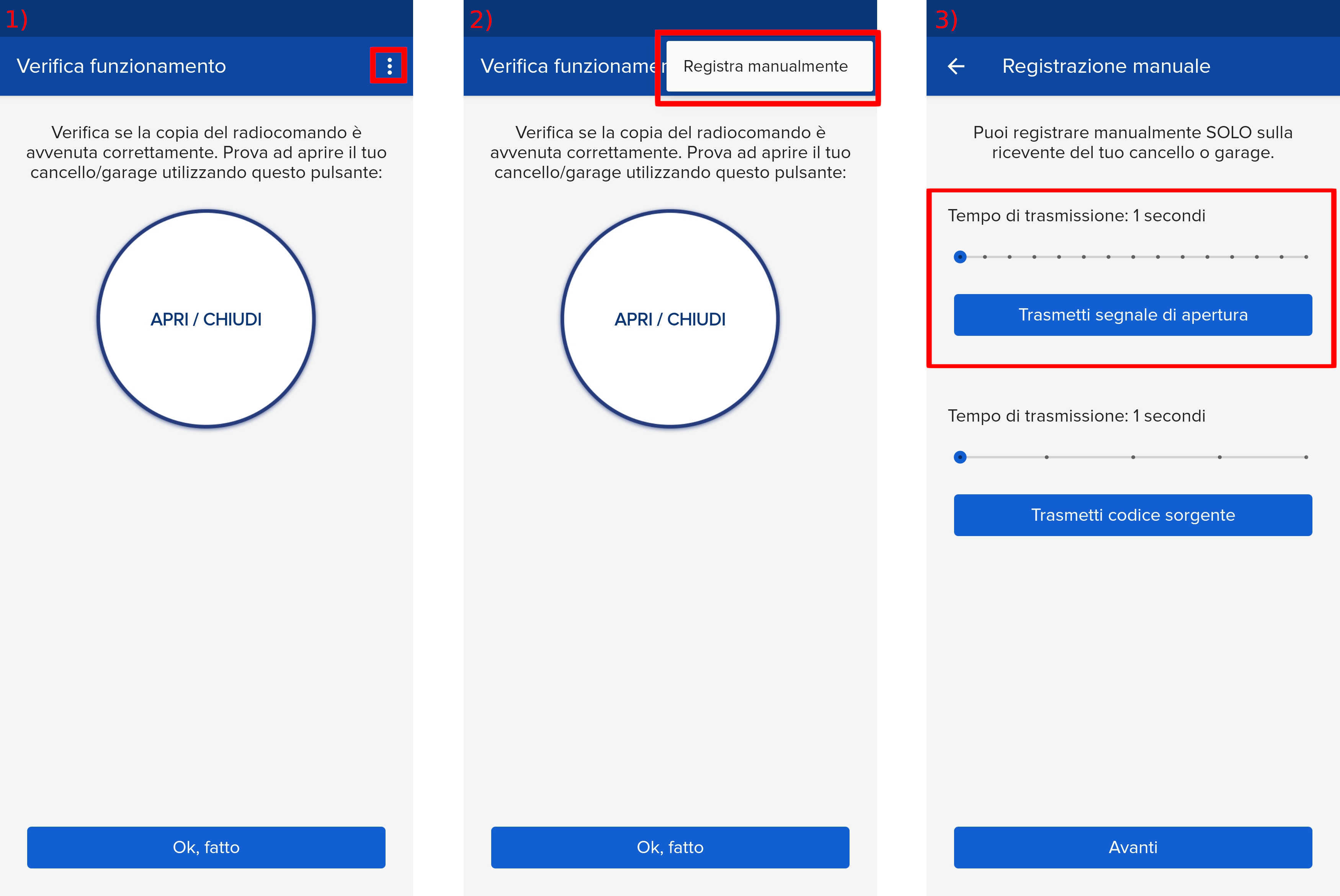
- Start copying until you reach the "Check Operation" screen.
- Press the menu button at the top right to enter manual recording as shown in the image below
- Move the slider above 6 seconds
- On the Ditec control unit, locate the buttons and display, indicated in blue:
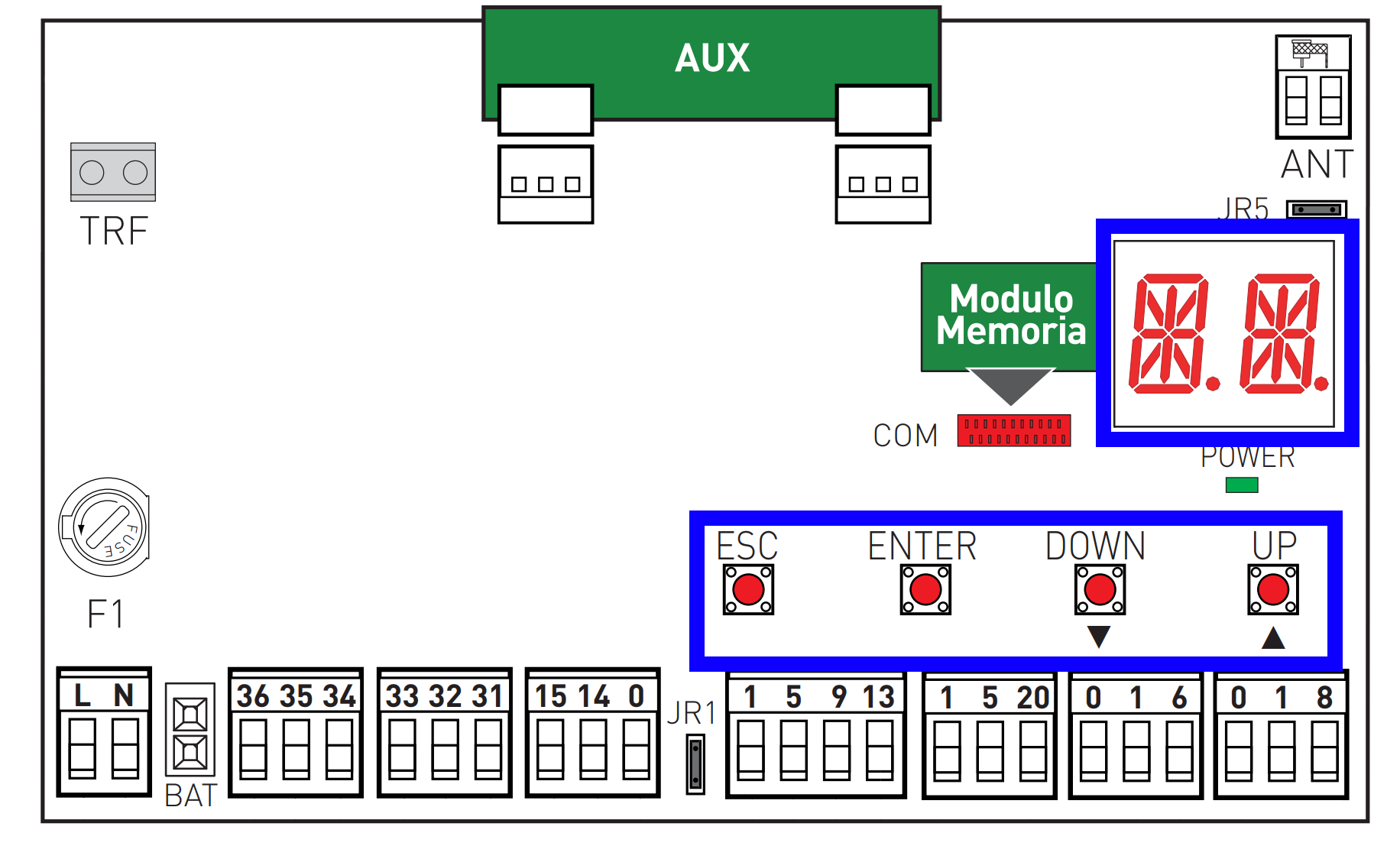
- Press the "ENTER" key to enter the menu, the display performs a diagnostic test with all segments lit, then shows "AT"
- Using the "UP" and "DOWN" keys navigate the menu until the display shows "R0"
- Press "ENTER"
- Using the "UP" and "DOWN" keys navigate the menu until the display shows "SR"
- Press "ENTER", the "SR" text starts flashing
- In the 1Control app, press the "Transmit opening signal" button
- Wait 10 seconds, during which the display should show "OK"
If "OK" is not displayed, increase the transmission time and/or move the SOLO closer to the control unit and press the transmission button again. - Press "ESC"
- Press and hold "ESC" until the display turns off