To complete the copy, follow the procedure as indicated:
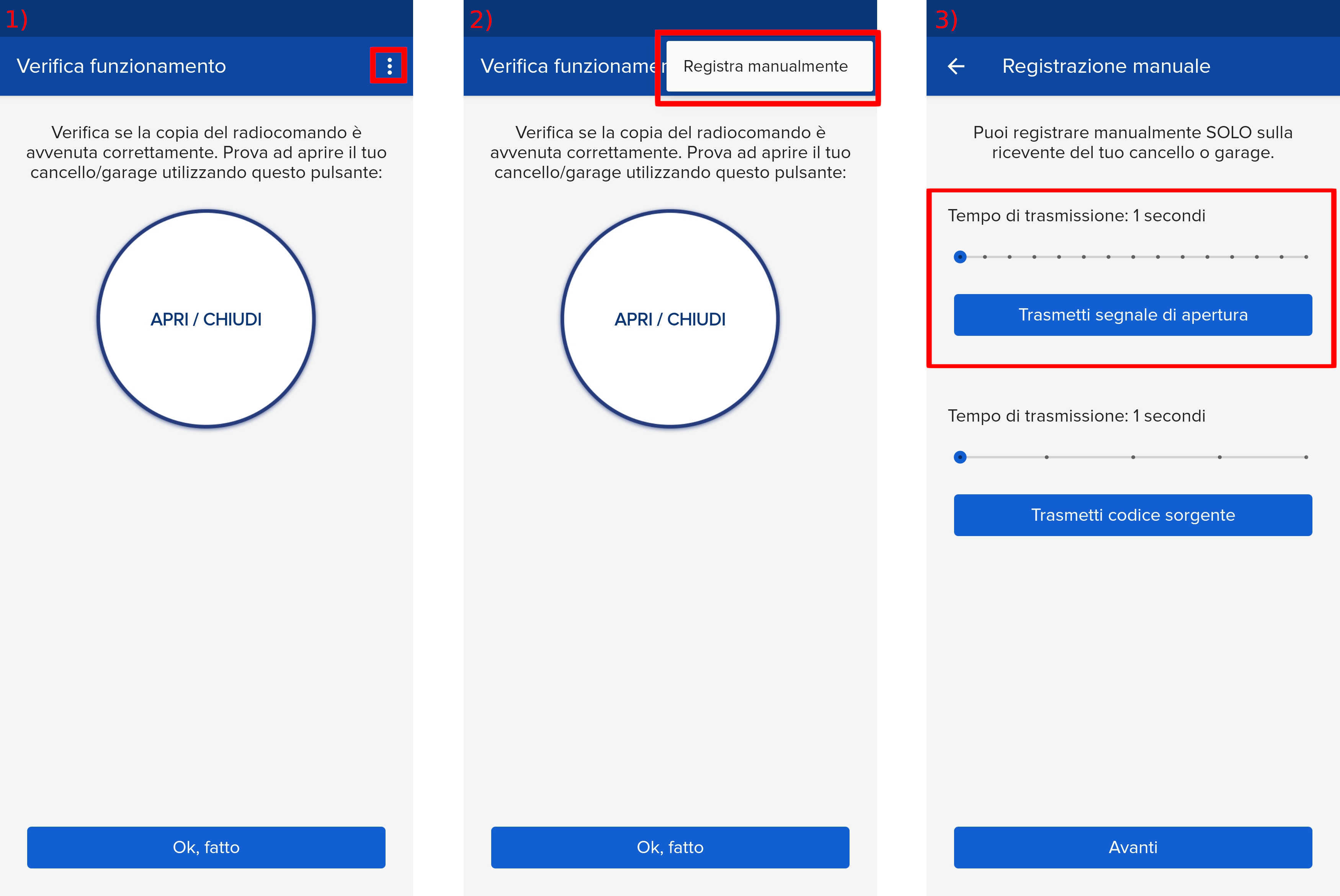
- Start copying until you reach the "Check Operation" screen.
- Press the menu button at the top right to enter manual recording as shown in the image below
- Move the slider above 5 seconds
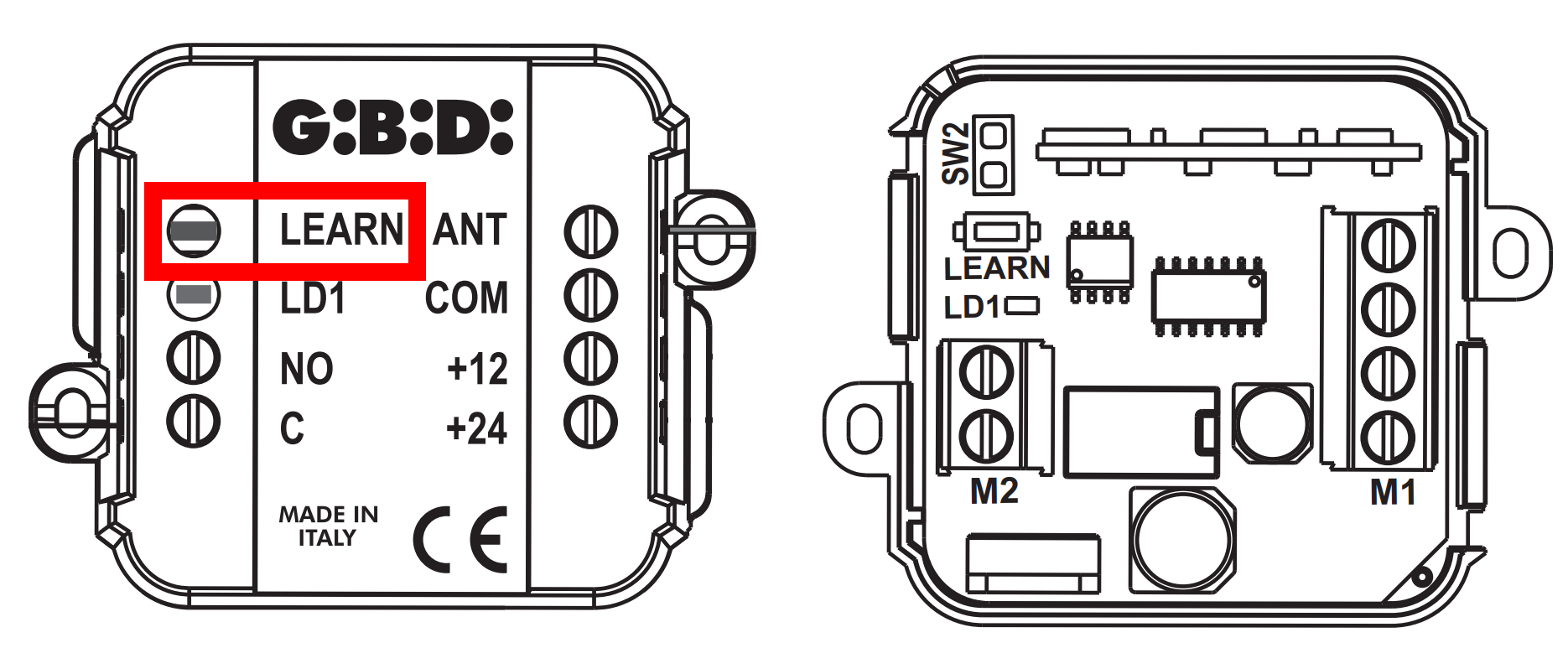
- On the control unit, press the LEARN button, the LD1 LED underneath will light up, release the button immediately after the LED lights up
- On the app, press the Transmit opening signal button
- The LD1 LED flashes 3 times to indicate correct learning of the signal
- wait for the LED to turn off