To complete the copy, follow the procedure as indicated:
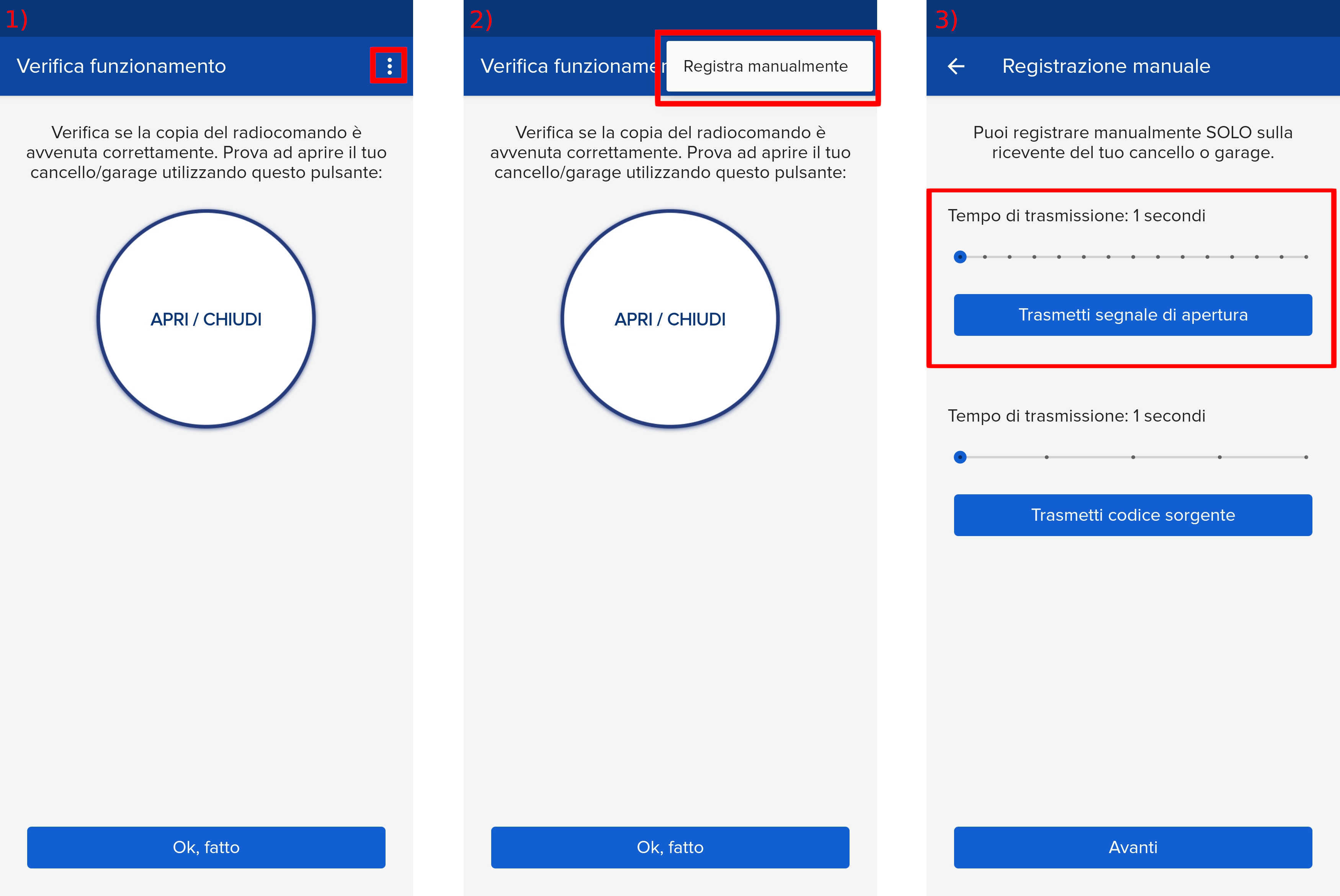
- Start copying until you reach the "Check Operation" screen.
- Press the menu button at the top right to enter the registration page
- Move the slider above 6 seconds
- Locate the control unit, display and navigation keys (indicated in red):
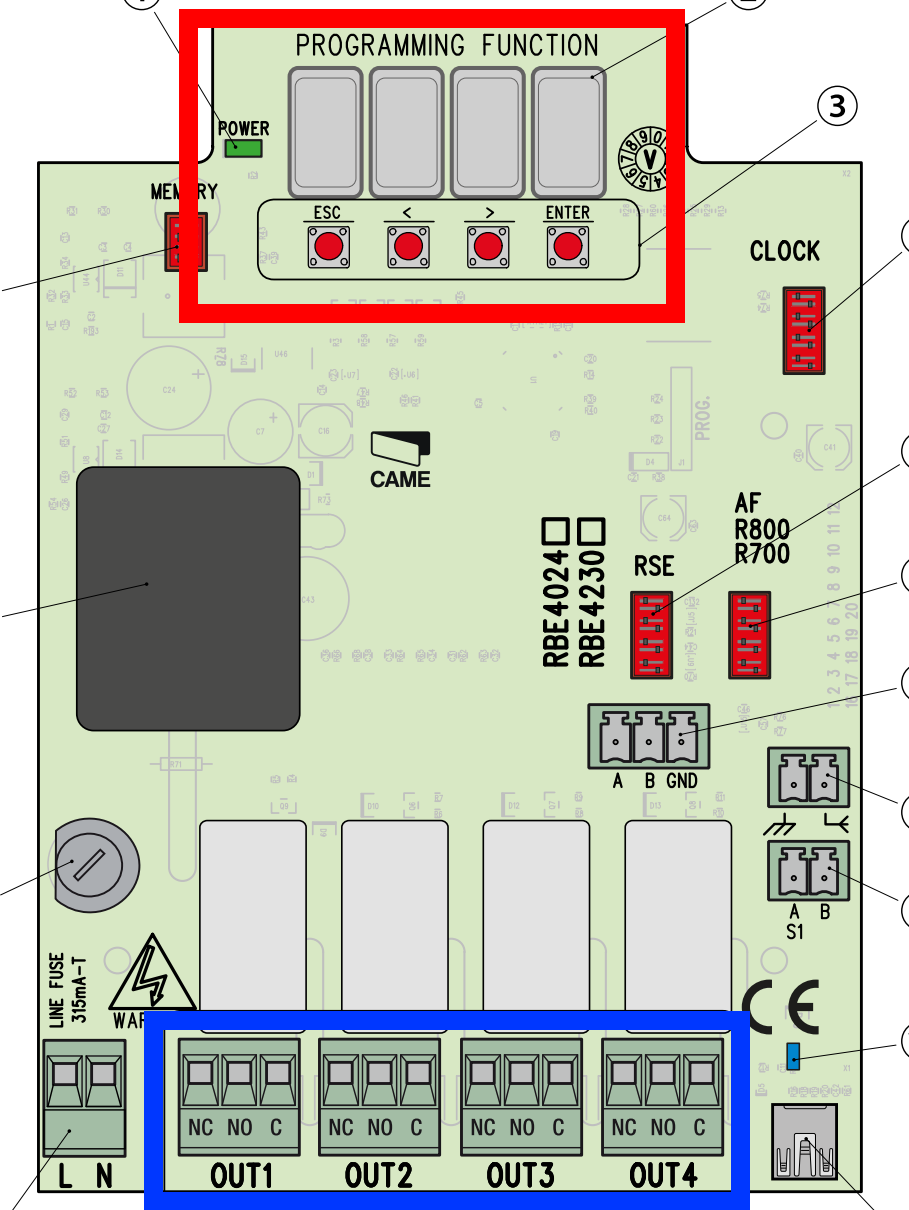
- Press and hold the "Enter" key for at least one second, the display should show "F1"
- Using the ">" key, scroll through the various menus until you reach "U1" and press "Enter"
- Select the output to which to associate the command, based on where the wires are connected on the terminals below (indicated in blue).
If they are connected to the terminal on the left, select "1" with the arrows and press "Enter" again - A number will be shown on the display indicating the memory location used, press "Enter" again
- Press "Transmit opening signal" in the app and wait 10 seconds, the display should show "Sto"
- Wait approximately 2 minutes for the control unit to exit memory mode.
- Press the "Next" button in the app and test the operation using the "Open/Close" test button.
If the gate does not open, wait 5 seconds and press the "Open/Close" button again, repeating up to approximately 10 times until the gate operates correctly.