To complete the copy, follow the procedure as indicated
- Start copying until you reach the "Check Operation" screen.
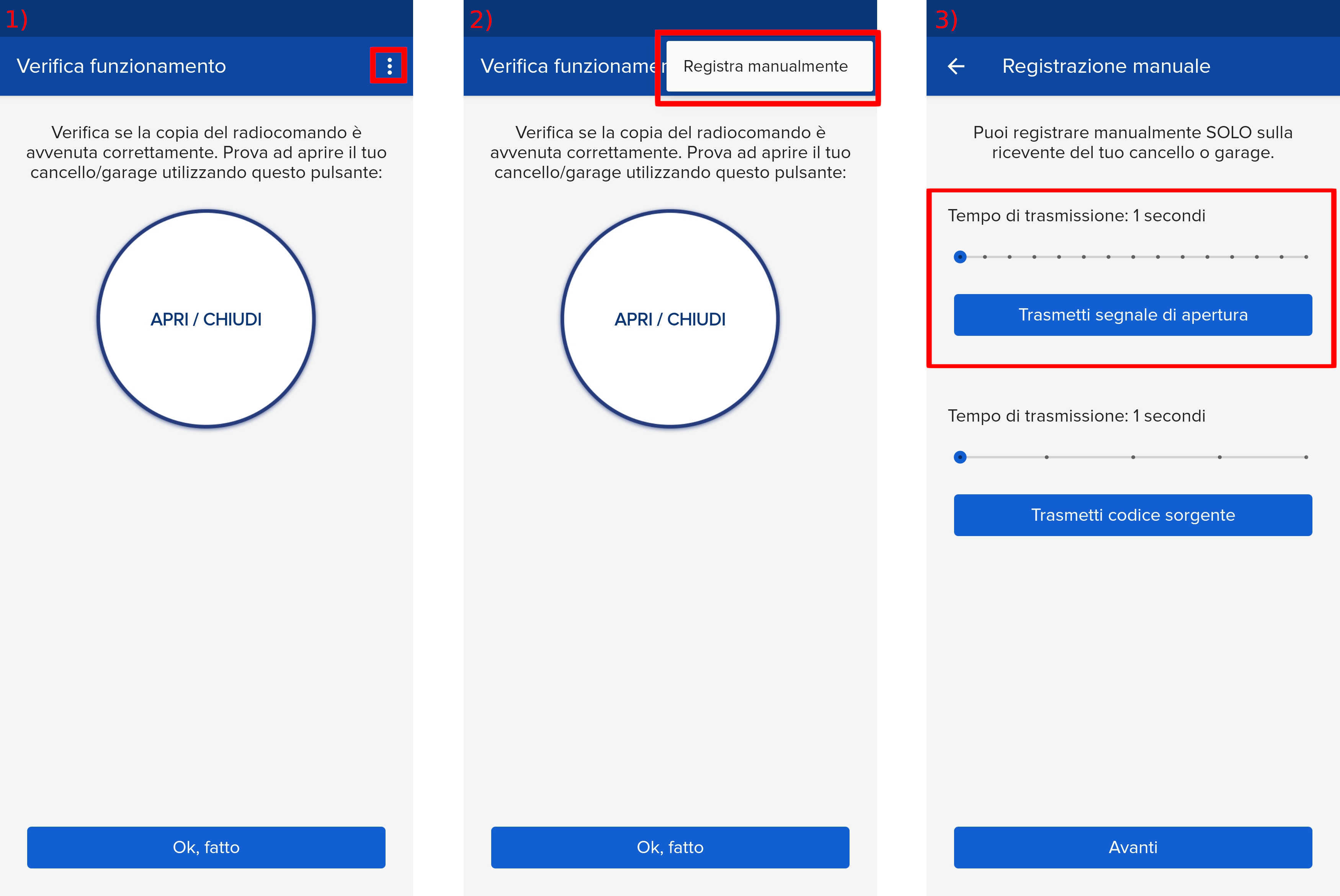
- Press the menu button at the top right to enter manual recording as shown in the image below
- Move the slider above 6 seconds
- Bring the SOLO closer to the receiver (less than 10cm)
- Press the round button on the receiver body. The receiver light will flash once at regular intervals.
- Press the "Transmit opening signal" button. After a few seconds, the R2 receiver light will slowly flash three times, confirming successful registration. It will then start flashing again as in step 5. Wait for it to stop flashing.
- Then press "next" and the "open/close" button at regular intervals, waiting 5 seconds between each test.