To complete the copy, follow the procedure as indicated:
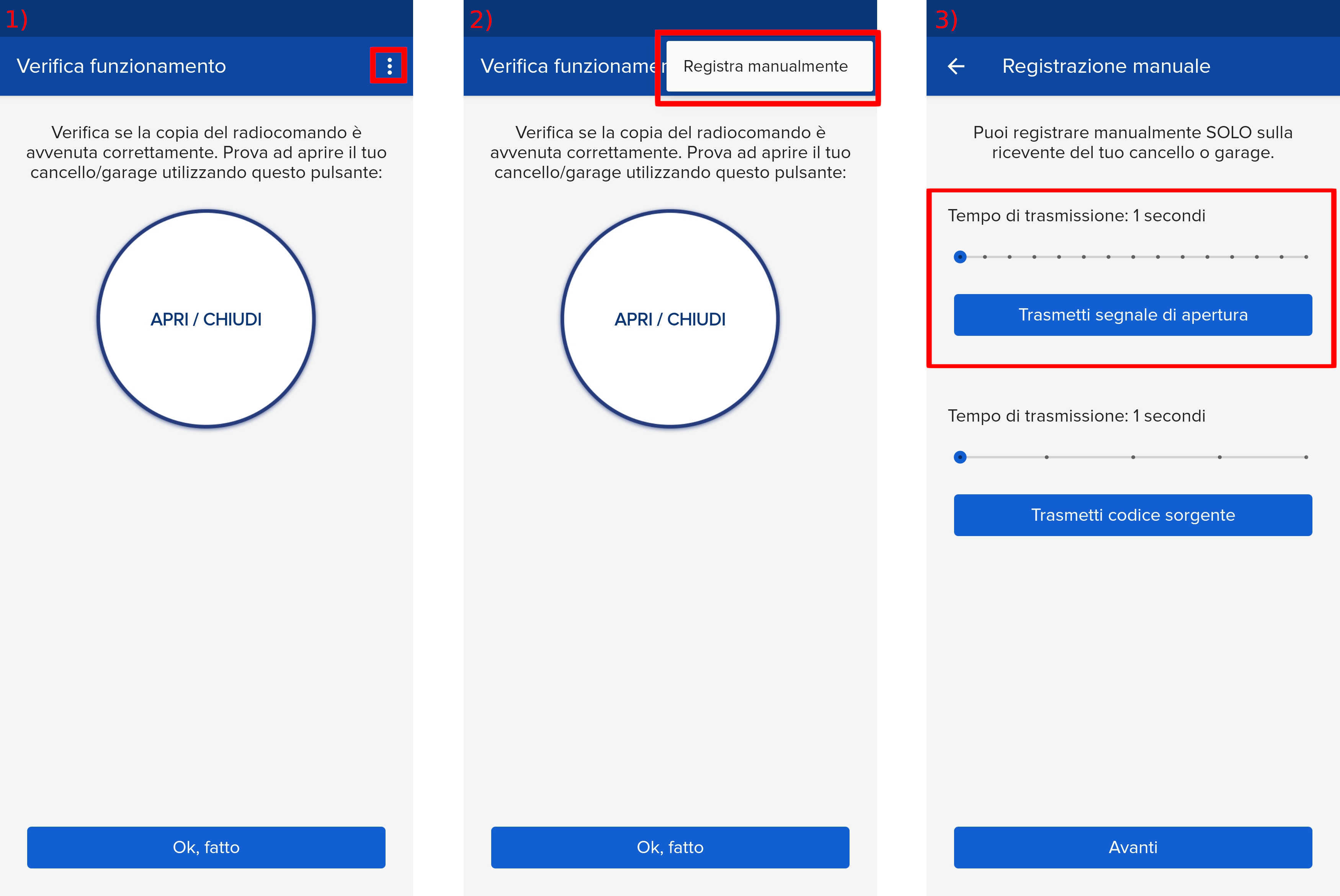
- Start copying until you reach the "Check Operation" screen.
- Press the menu button at the top right to enter manual recording as shown in the image below
- Move the slider above 4 seconds
- Press the "P1" button for approximately one second.
LED "L1" flashes slowly.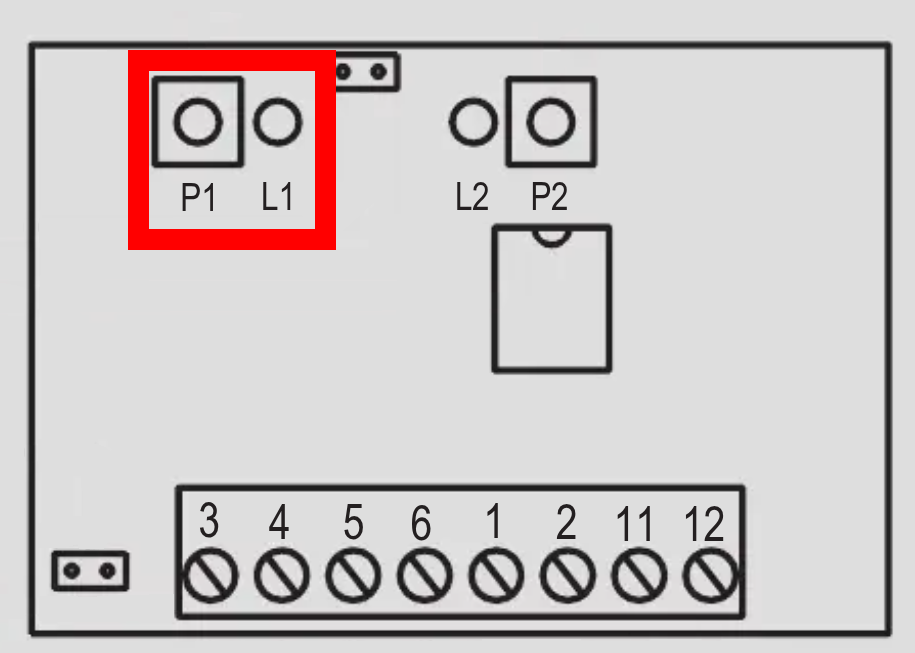
- Press "Transmit opening signal" in the app
- the "L1" LED remains on steadily for 3 seconds to indicate that the code has been stored correctly
- Wait about a couple of minutes, the "L1" LED should stop flashing