To complete the copy of your remote control
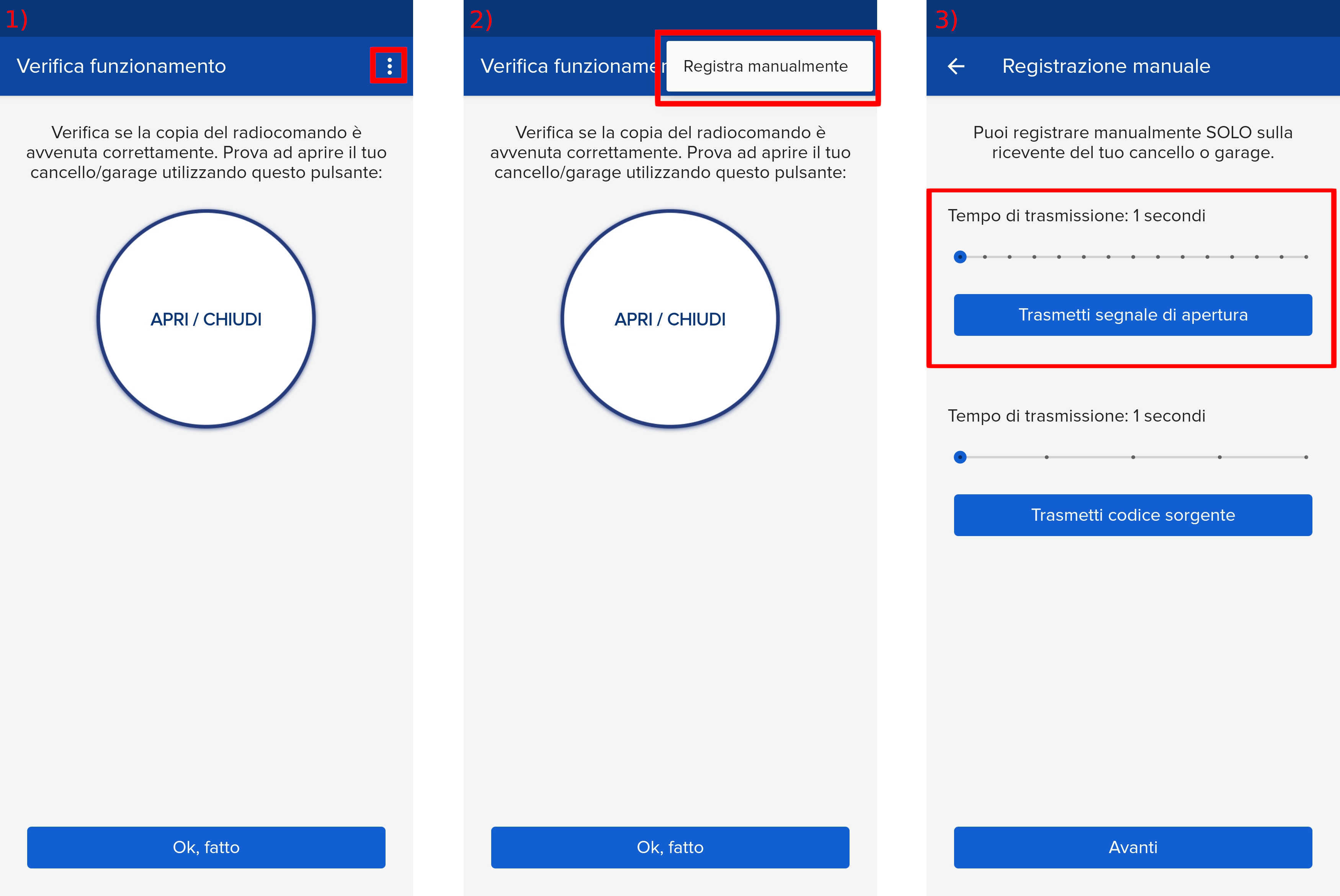
- Start copying until you reach the "Check Operation" screen.
- Press the menu button at the top right to enter manual recording as shown in the image below
- Move the slider above 4 seconds
- Press the “- ” button on the control unit for 3 seconds, l1 lights up.
- Press the SET button, l1 and l5 light up alternately.
- Within 10 seconds, press the " Transmit opening signal " button on the app
- If the red LEDs light up for 1 second then the learning was successful.
If all red LEDs flash 3 times then the system has waited for 10 seconds without receiving any valid signal, repeat programming.