To complete the copy of your remote control
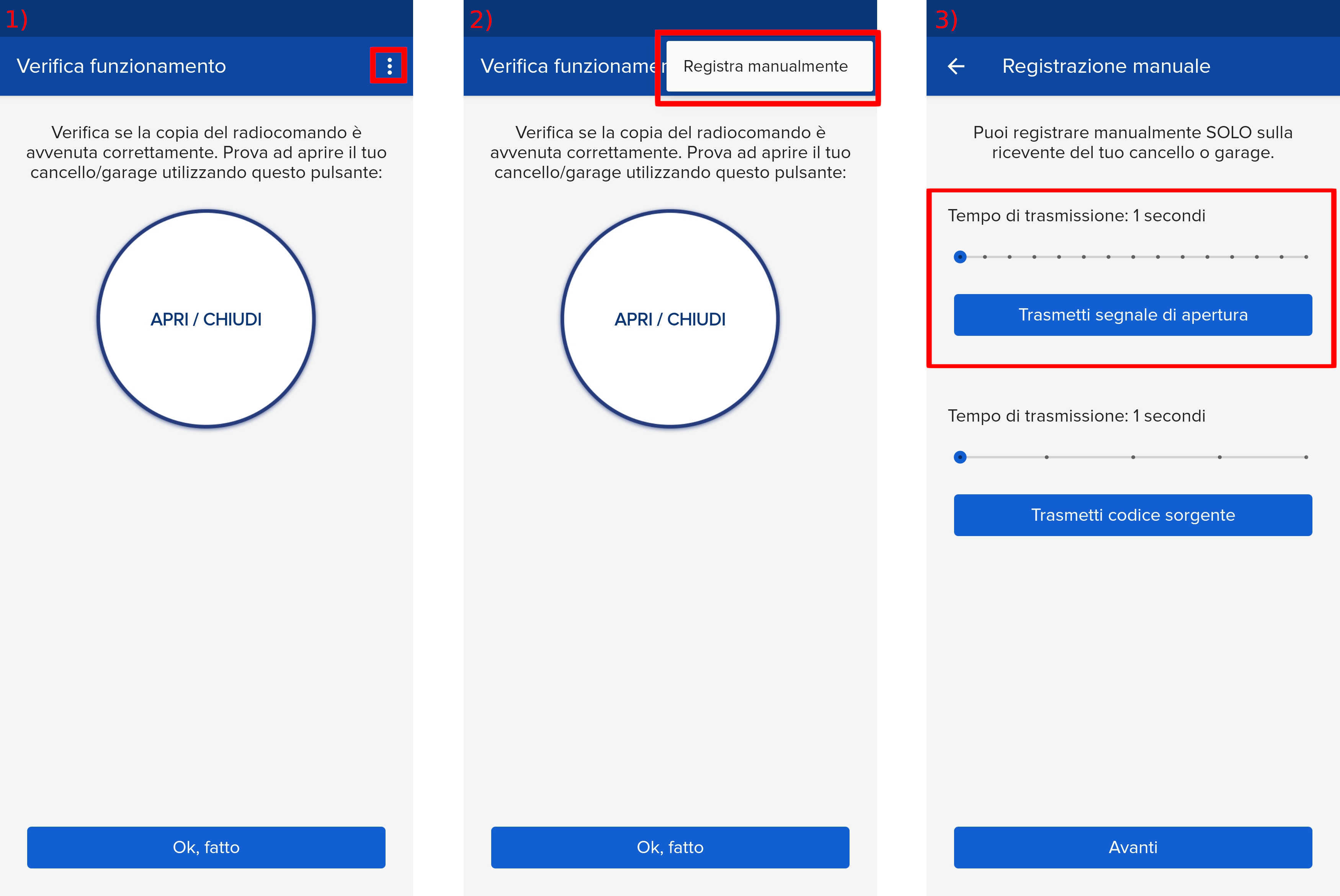
- Start copying until you reach the "Check Operation" screen.
- Press the menu button at the top right to enter manual recording as shown in the image below
- Move the slider above 1 second
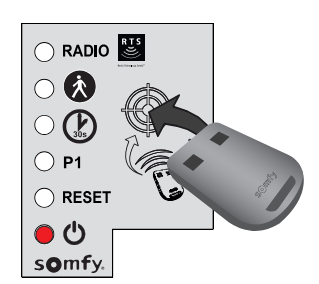
- On the control unit, press the button for 2 seconds

- Place SOLO near the symbol shown in the image, in the same way as the remote control shown.
- On the app, press the "Transmit opening signal" button and wait approximately 2 seconds
Repeat until the gate is activated, it is recommended to try varying the distance of the SOLO from the symbol on the control unit.