Copy procedure:
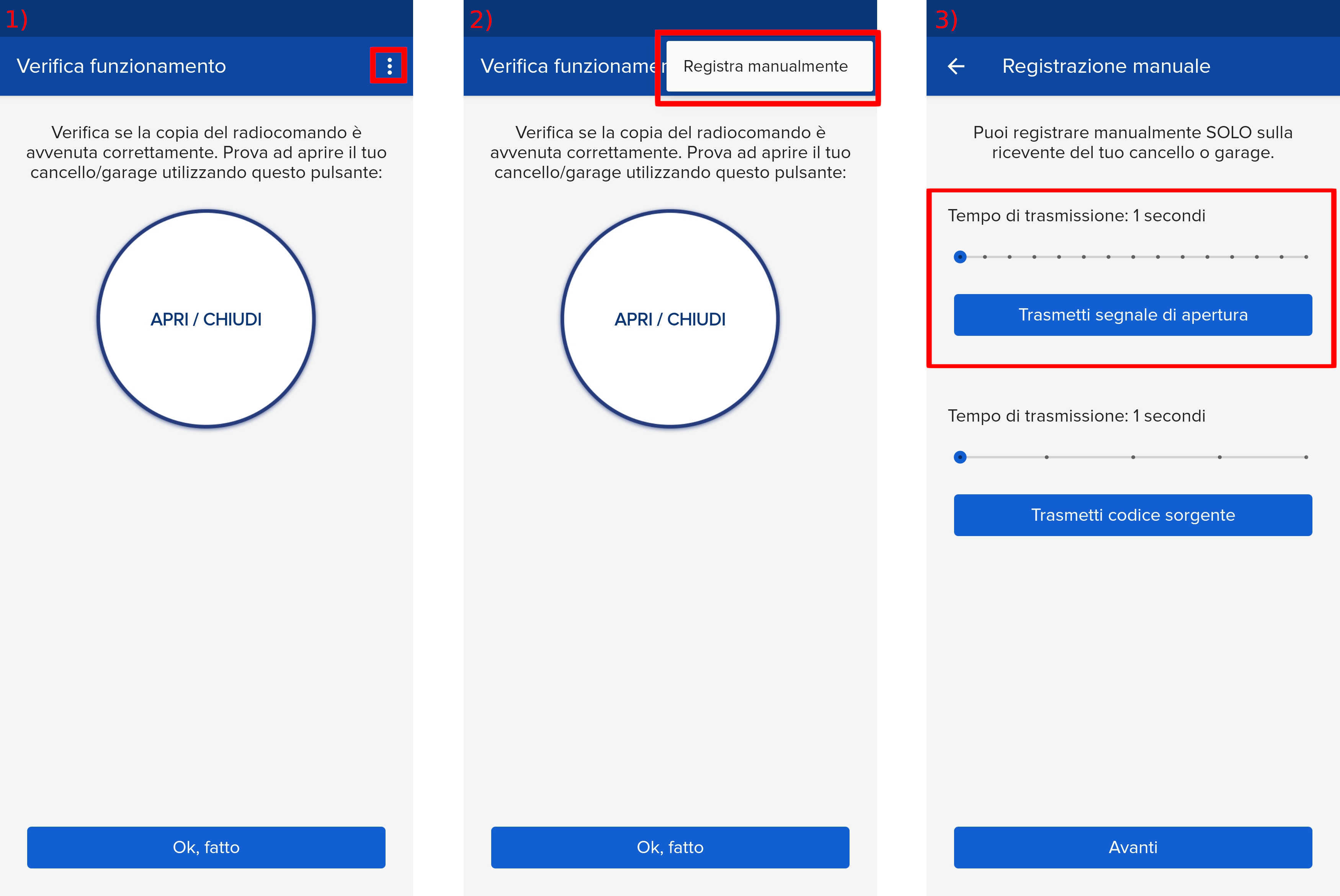
- Start copying until you reach the "Check Operation" screen.
- Press the menu button at the top right to enter manual recording as shown in the image below
- Move the slider above 1 second
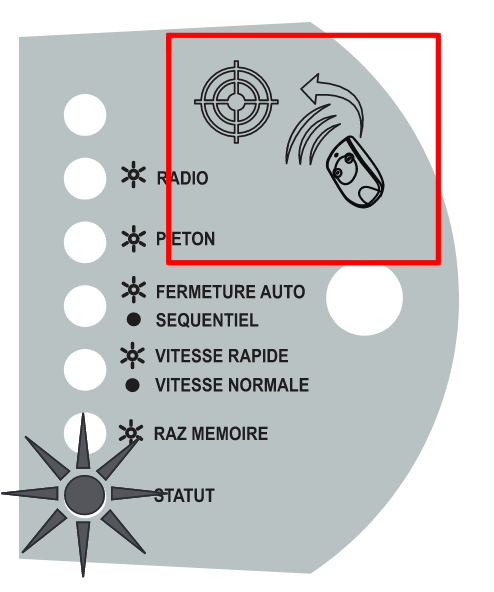
- Place "SOLO" near the symbol shown in the image with the notch facing the control unit
- On the app, press the "Send opening signal" button
- Wait 15 seconds
- Set the transmission time to 5 seconds
- Press the "Transmit opening signal" button again
- Wait 10 seconds
- The gate should open, if not repeat the procedure from step 3, if the gate opens press "Next" at the bottom of the page