Follow the procedure indicated to complete the copy
First make sure the gate/garage is closed
1) Start copying until you get to the "Check Operation" screen
2) Press the menu button at the top right to enter manual recording as shown in the image below
3) Move the slider above 5 seconds 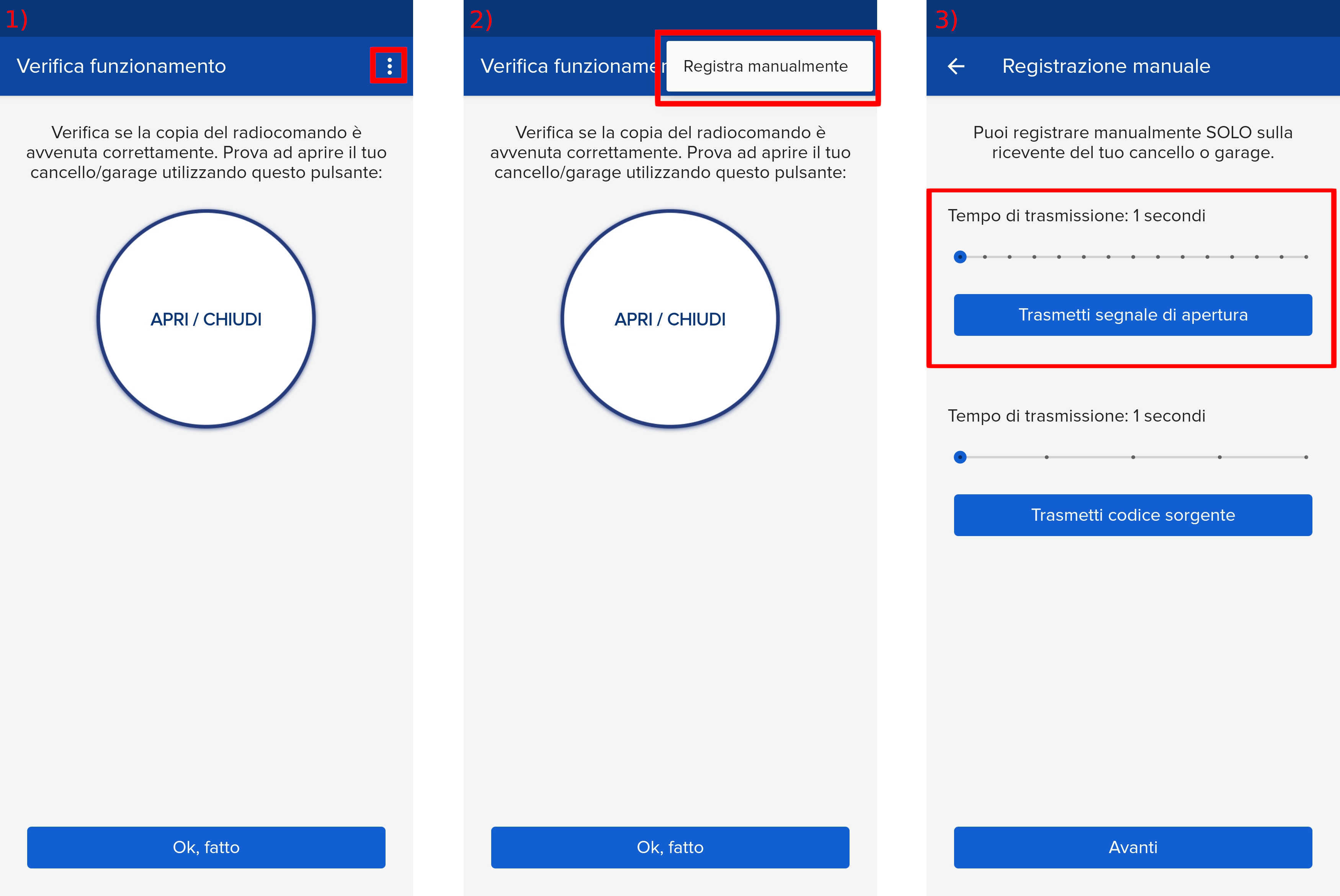
4) Press for one second and with a tool that guarantees double insulation, the button indicated below. The corresponding yellow LED lights up steadily.
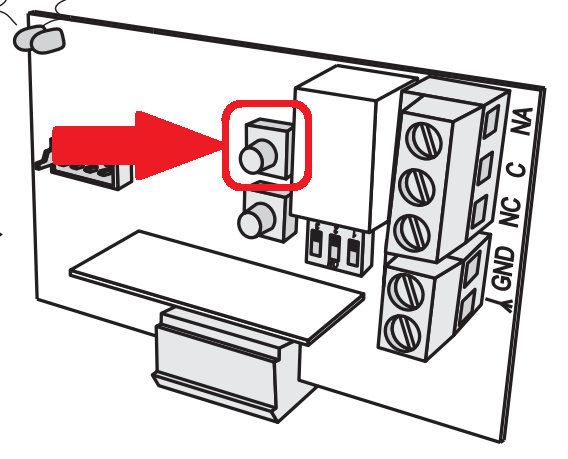
5) Press the "Transmit opening signal" button in the 1Control app. Wait 10 seconds. The yellow LED on the receiver will flash briefly and then remain lit: code memorized.
6) To exit programming, briefly press the button
of the receiver or wait 2 minutes. The yellow LED goes off.
7) Press the Next button and then the round button to open/close.