Follow the procedure indicated to complete the copy
First make sure the gate/garage is closed
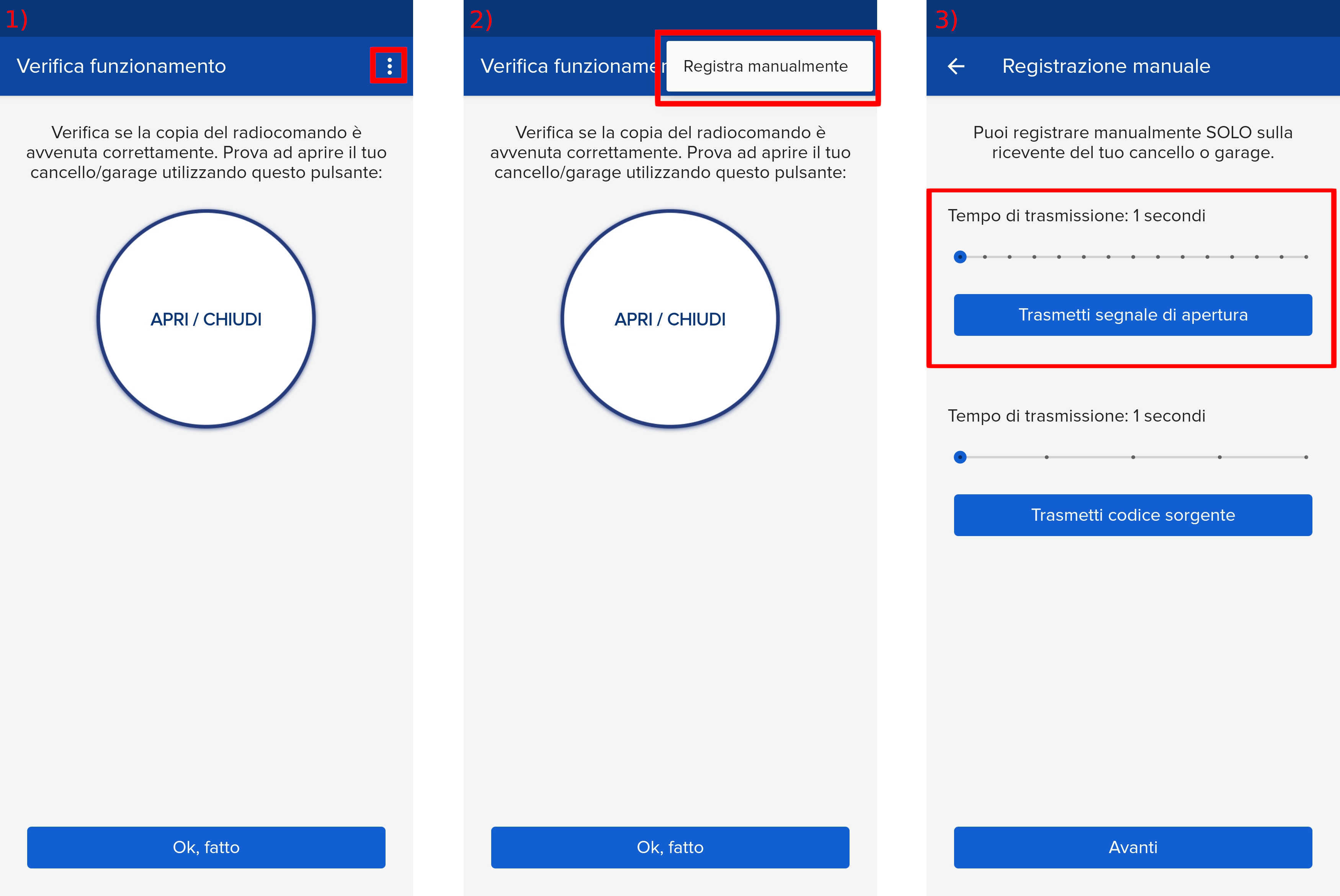
1) Start copying until you reach the " Verify Operation " screen
2) Press the menu button at the top right to enter manual recording as shown in the image below
3) Move the slider above 5 seconds
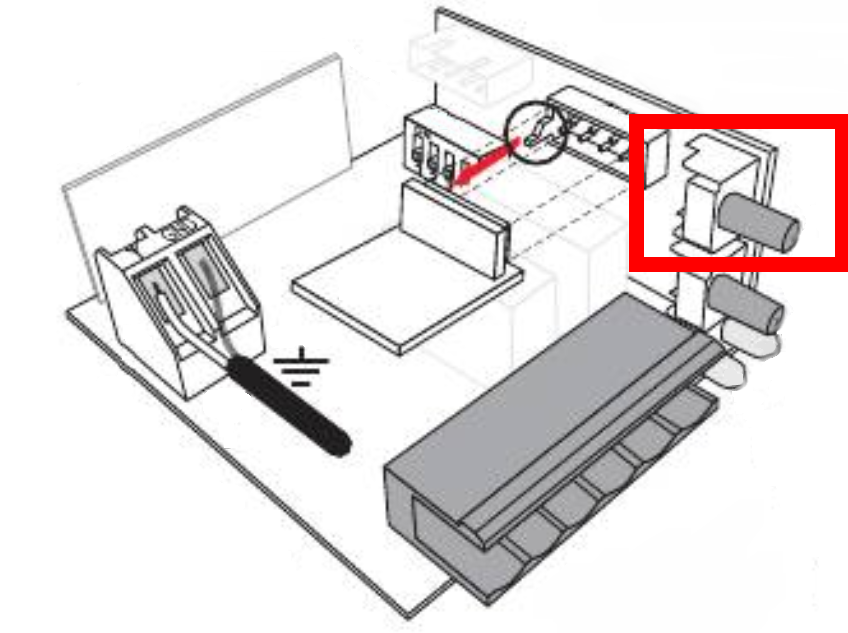
4) Using a tool with a rubber or plastic handle, press the " P1 " button, shown below.
The corresponding yellow LED lights up steadily.
5) Press the " Transmit opening signal " button in the 1Control app and wait 10 seconds.
The yellow LED on the receiver will flash briefly and then remain lit steadily to confirm that the signal has been stored.
6) Press the " P1 " button on the receiver again. The yellow LED turns off.
7) Press the " Next " button in the 1Control app
8) Wait 30 seconds
9) Press the " Open/Close " button to perform an opening test. If the automation does not operate, wait 5 seconds and press it again. Repeat this process up to 10 times until the automation operates successfully.