To complete the copy follow the procedure as indicated
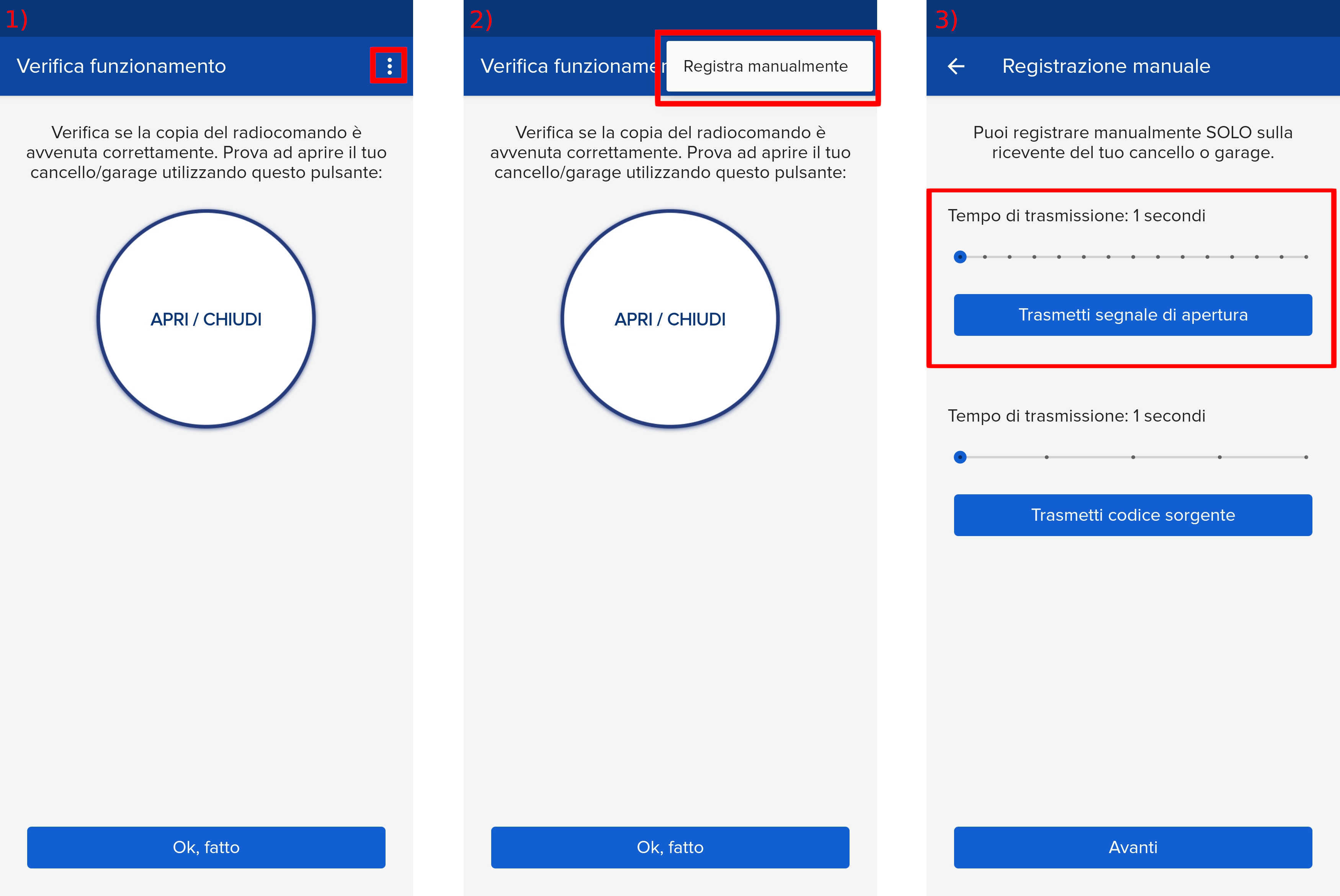
- Start copying until you reach the "Check Operation" screen.
- Press the menu button at the top right to enter manual recording as shown in the image below
- Move the slider above 4 seconds
4. Press the PCode button shown in the photo.
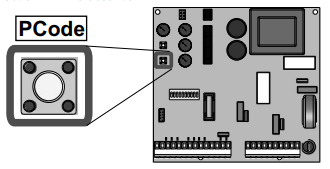
5. The LEDP will start flashing rapidly.
6. Bring the SOLO within 5cm of the card and press the "Transmit opening signal" button.
7. The LED will flash twice to confirm that the code has been saved.
8. Wait for the LED to turn off. Then press "Next" and "Open/Close".