To complete the copy, follow the procedure as indicated:
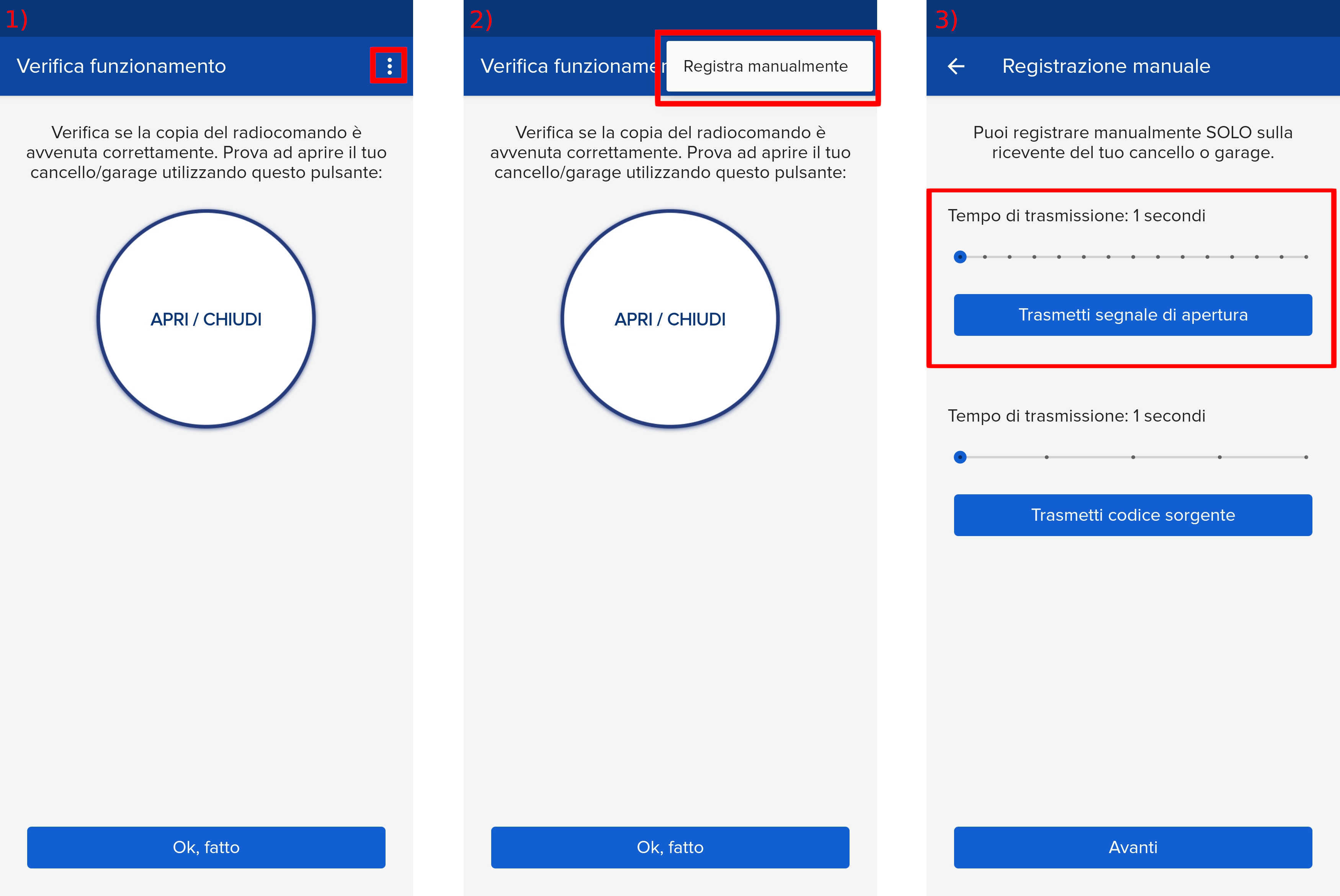
- Start copying until you reach the "Check Operation" screen.
- Press the menu button at the top right to enter manual recording as shown in the image below.
- Move the slider above 4 seconds.
- Wait until the gate is completely closed and the courtesy lights are off.
- Press the UP or DOWN button and select the desired radio input, the display shows: tEL1
- Press the MENU button, trAS appears on the display
- Bring the SOLO close to the control unit and press the "Transmit opening signal" button until rEC appears on the display
- Wait a few minutes for the control unit to exit listening mode.