To complete the copy follow the procedure as indicated
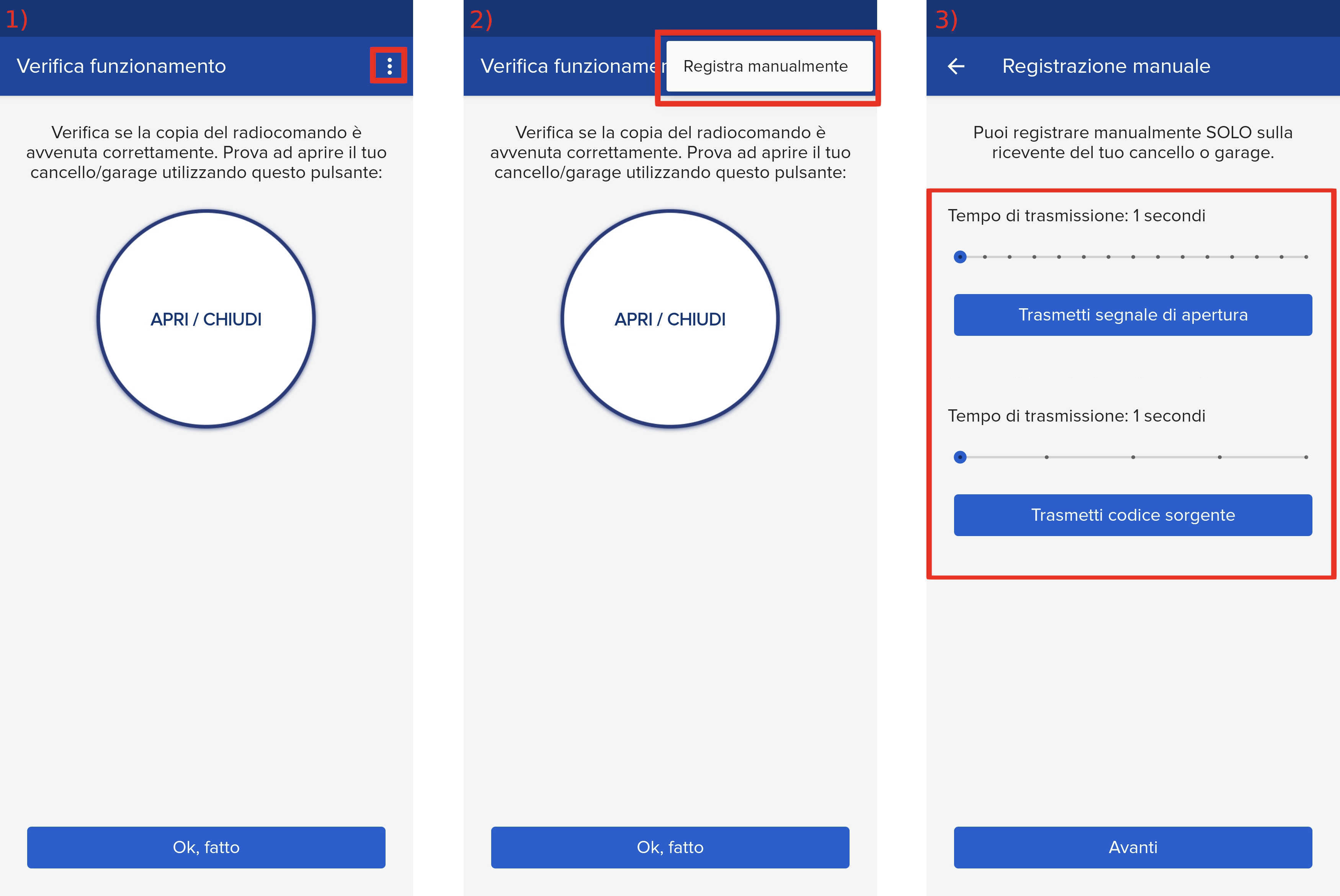
- Start copying until you reach the " Verify Operation " screen.
- Press the menu button at the top right to enter manual recording as shown in the image below.
- Both sliders at 1 second.
- Bring the device SOLO within 5cm of the receiver.
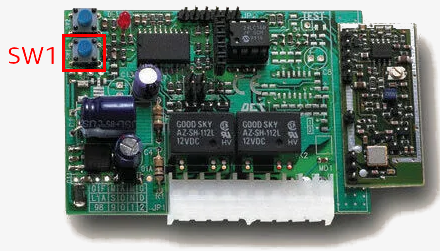
- On the receiver, press the SW1 button once. The LED should flash steadily.
- On the 1Control app, press "Transmit Source Code." The LED should remain solid.
- Then press "Transmit opening signal" and wait until the LED on the control unit goes out.
- Then press "Next" and press the "Open/Close" button a couple of times.