To complete the copy of your remote control
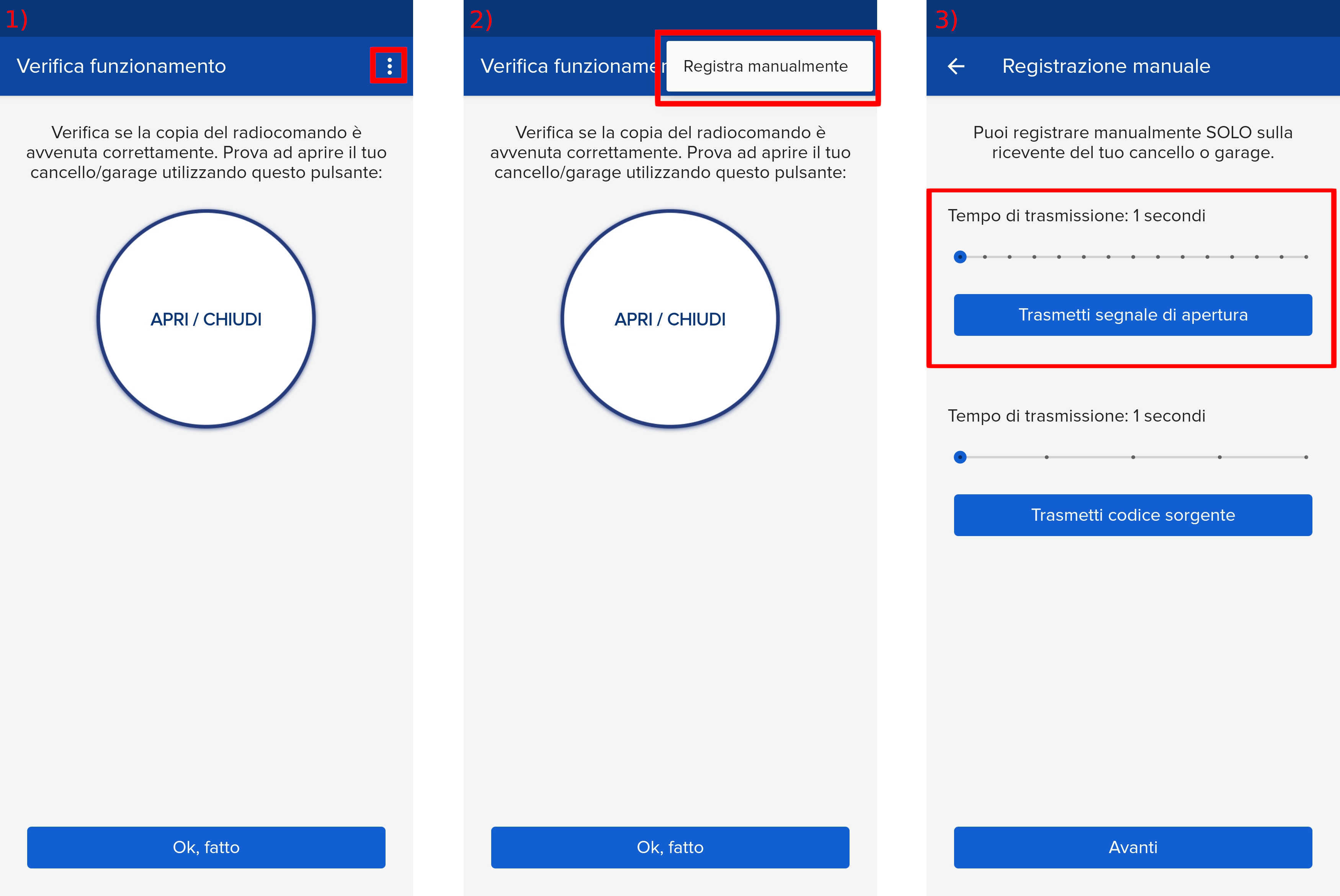
1) Start copying until you reach the "Check Operation" screen
2) Press the menu button at the top right to enter manual recording as shown in the image below.
3) Move the slider above 5 seconds
4) ONLY get within 10cm of the control unit.
5) Scroll through the menu with "UP" and "DOWN" until you reach "transmitters" and press the "OK" button.
6) Press "OK" when you get to the "START" item
7) The message "Press Button" will appear on the display
8) Press "Transmit opening signal" on the 1Control app.
9) The control unit will show the "memorized" item.
10) Wait a few minutes for the control unit to exit programming mode.
11) Press "Next" and press the round button