To complete the copy, follow the procedure as indicated:
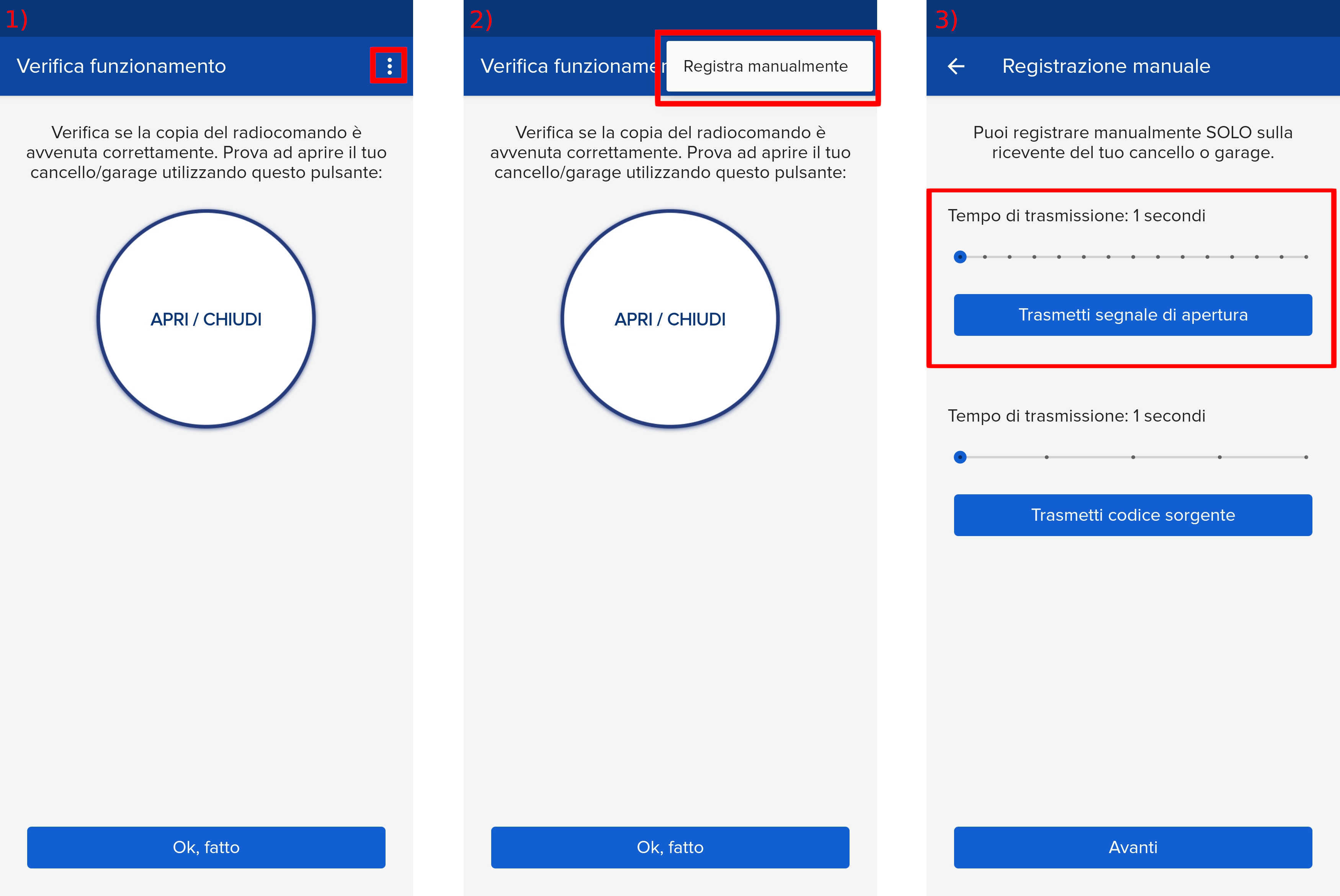
- Start copying until you reach the "Check Operation" screen.
- Press the menu button at the top right to enter manual recording as shown in the image below
- Move the top slider to 5 seconds. Do not touch the bottom slider.
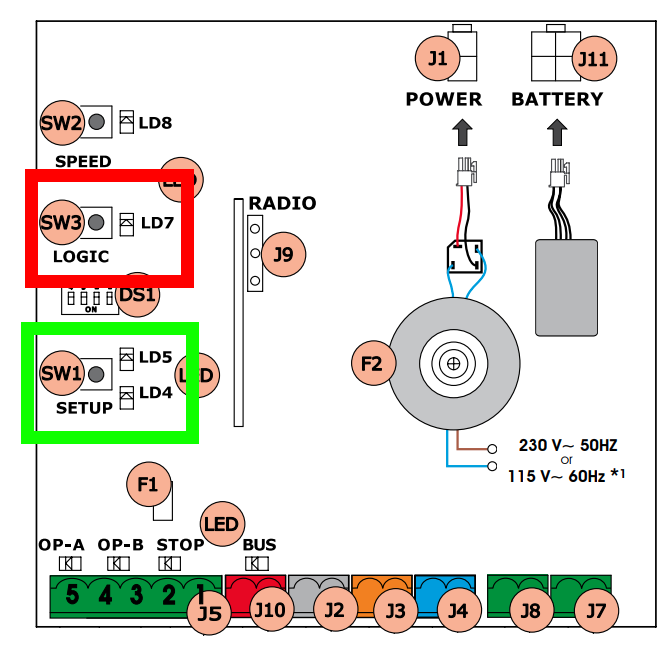
- On the control unit, press and hold down the SW3-LOGIC button (highlighted in red) and, while keeping it pressed, also press SW1-SETUP (highlighted in green).
- Release both buttons.
- Press the " Transmit opening signal " button within 5 seconds on the app.
- The LED will remain lit for about 1 second, indicating that the procedure was successful. It will then start flashing again. Wait until the LED turns off.
- Click "Next" and press the round "Open/Close" button a few times.