To complete the copy follow the procedure as indicated
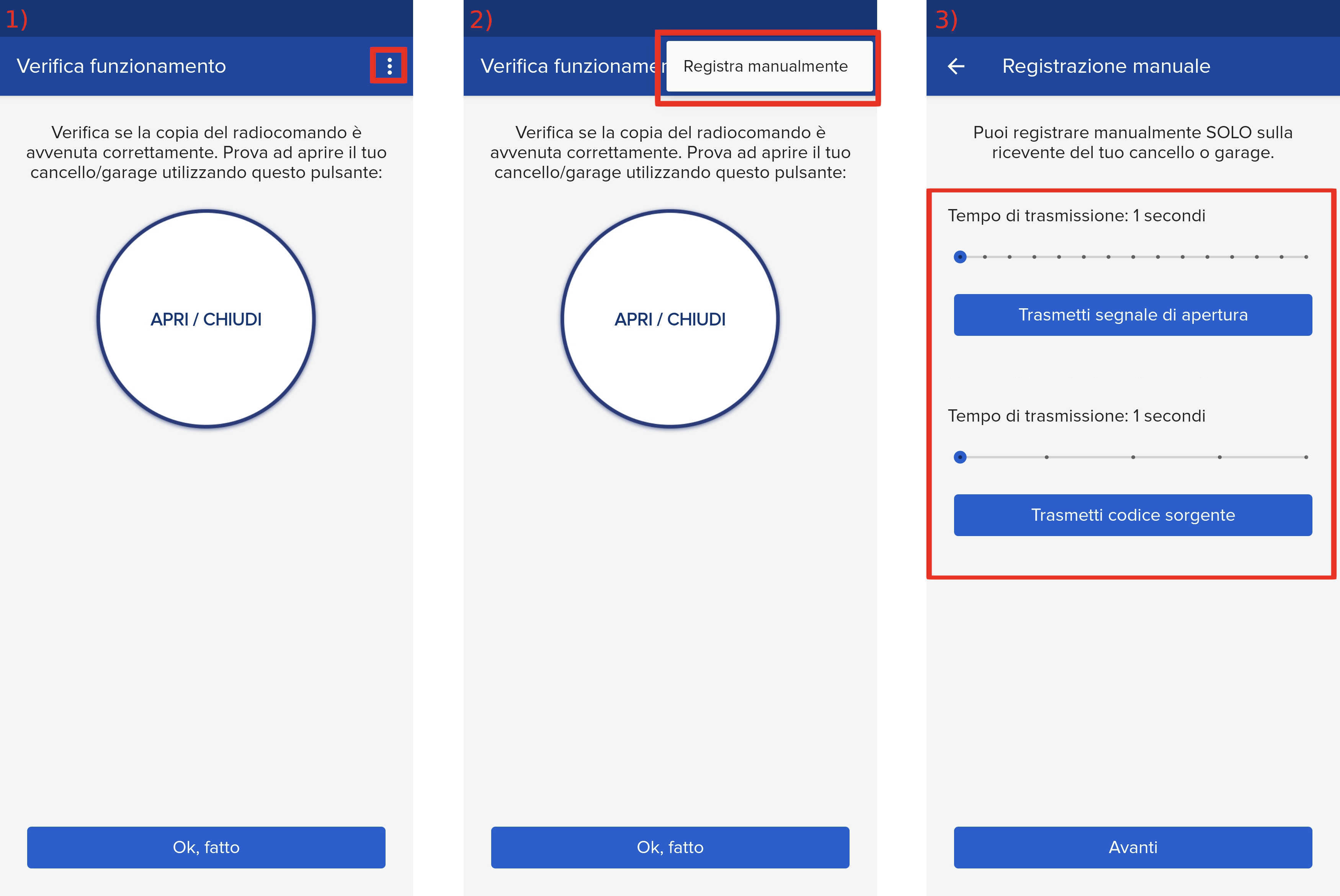
1) Start copying until you reach the "Check Operation" screen
2) Press the menu button at the top right to enter manual recording as shown in the image below
3) Move both sliders to 4 seconds
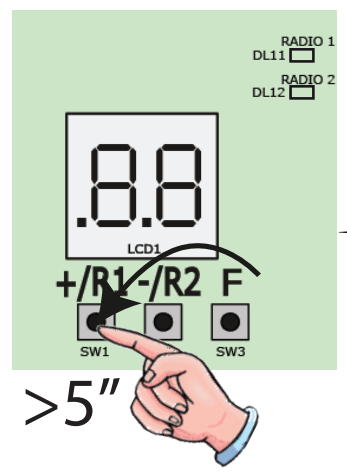
4) On the control unit press the +/R1 button for 5 seconds, the DL11 LED (RADIO 1) should start flashing slowly
5) Within 5 seconds press " Transmit Source Code " on the app
6) The LED on the control unit remains on for 1 second and then turns off
7) Press the " Transmit opening signal " button on the app and wait 5 seconds
8) Press the " Transmit opening signal " button again
9) Wait 10 seconds and press the same button several times, the gate should open
If it doesn't work, repeat the procedure from step 4.